Only printers for the Android version of the AppShell are supported.
Supported printers
- Bixolon SPP series
- Zebra ZQ110
- Zebra LinkOS
- EPSON Epos Bluetooth
- EPSON Epos Network
Note: We recommend using EPSON Epos or Zebra LinkOS.
Custom fonts
Custom font support for Zebra LinkOS printers was added in Android AppShell 2.3 and LS Central 17.0.
To use custom fonts
- Install the font on the printer (must be in .TTF format). For more information click here.
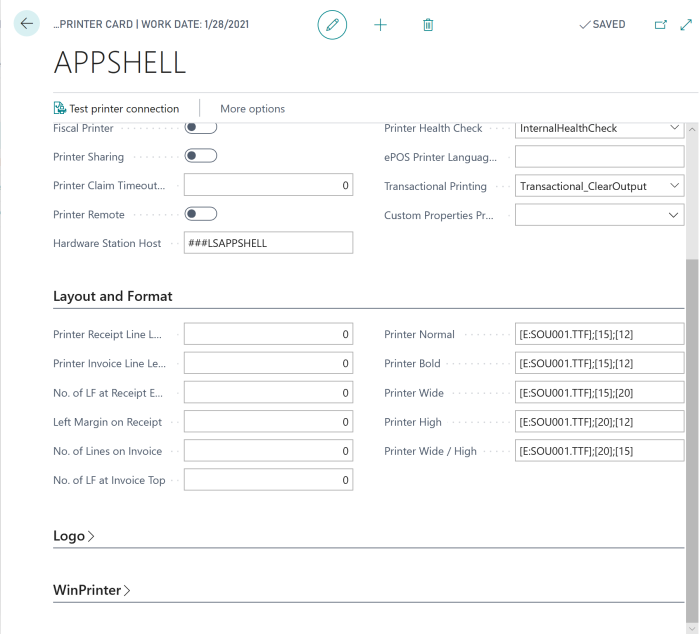
- Go to the settings for the printer in LS Central, the POS Printer Card, and change the printer formats in the Printer Normal and Printer Bold fields on the Layout and Format FastTab. The format is [Font];[Height];[Width], for example [E:SOU001.TTF];[15];[12].